Valorant to CS2 Sensitivity Conversion: The Exact Formula
By DPI Analyzer TeamPublished Updated
You've been grinding Valorant, and your aim finally feels dialed in. Then you fire up CS2, and everything falls apart. Your crosshair flies past every target. Your muscle memory is screaming.
The problem isn't your mechanics. It's the math. Valorant and CS2 use different sensitivity scales, so your 0.5 in Valorant is not the same as 0.5 in CS2. Not even close.
This guide shows you exactly how to convert your Valorant sensitivity to CS2/CSGO, why the numbers differ, what mistakes to avoid, and how to confirm the result actually matches.
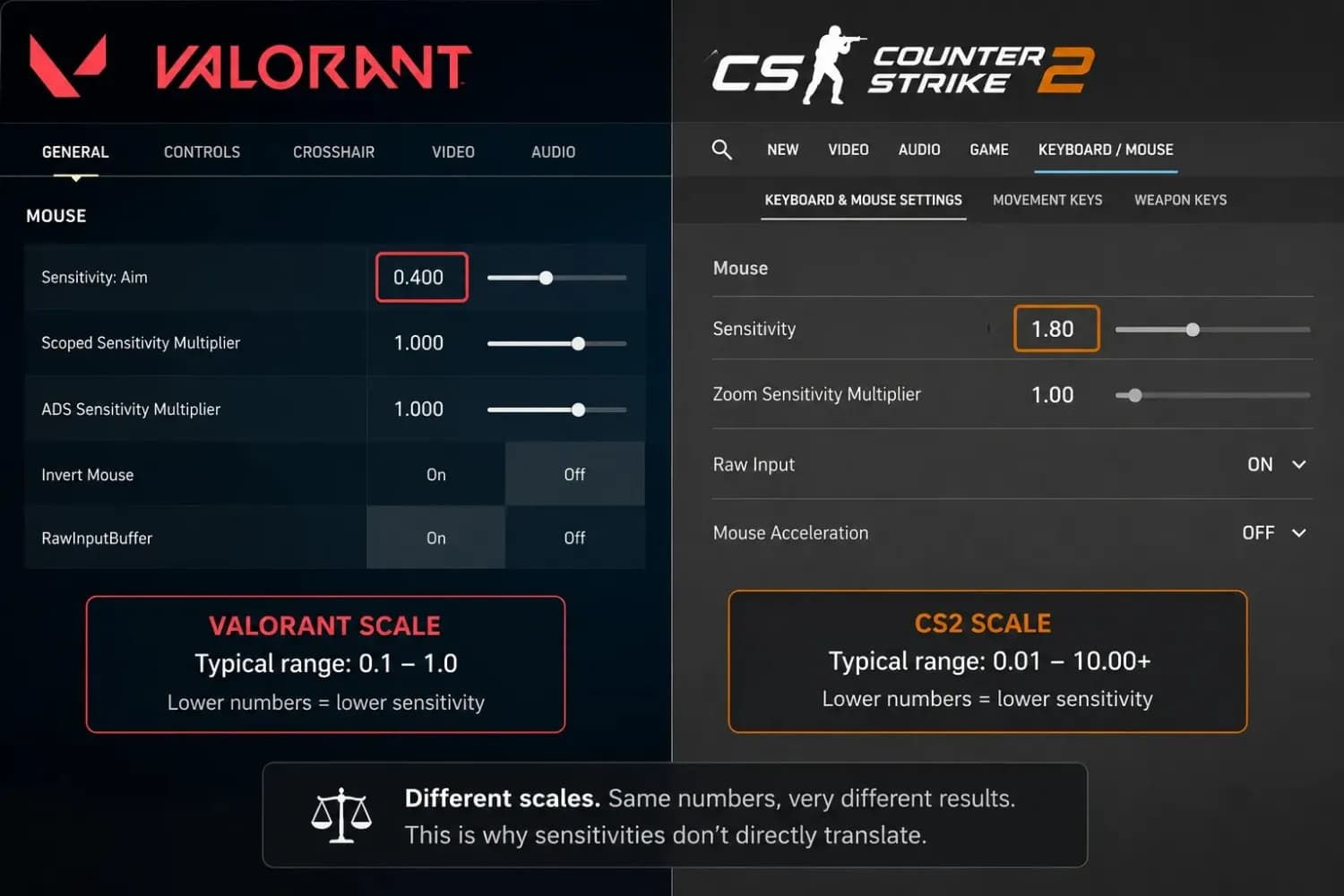
Why You Can't Just Copy Your Sensitivity Over
Both games measure how fast your crosshair moves, but they use different underlying multipliers per degree of rotation. That number is called the yaw value. Valorant uses a yaw of 0.07, while CS2 uses 0.022.
Because of this difference, a sensitivity of 1.0 in Valorant produces roughly 3.18 times more crosshair movement than a sensitivity of 1.0 in CS2. If you jump in with the same number, you will be overaiming badly.
On top of that, Valorant locks its field of view at 103 degrees. CS2 lets you change FOV, and most players don't use 103. That difference adds a slight visual mismatch even with a mathematically perfect conversion, but the converted number will still be dramatically closer to your Valorant feel than anything else.
The Conversion Formula: Valorant to CS2/CSGO
The Quick Formula
To convert Valorant sensitivity to CS2, divide your Valorant sensitivity by 3.18.
CS2 Sensitivity = Valorant Sensitivity ÷ 3.18
Here are some common examples:
| Valorant Sensitivity | CS2/CSGO Sensitivity | CM/360 (approx.) |
|---|---|---|
| 0.30 | 0.094 | ~55 cm |
| 0.48 | 0.151 | ~35 cm |
| 0.50 | 0.157 | ~33 cm |
| 0.70 | 0.220 | ~24 cm |
| 0.87 | 0.273 | ~19 cm |
| 1.00 | 0.314 | ~17 cm |
The Precise Formula (If You Want Exact Math)
The 3.18 divider is a rounded version of a more exact ratio. If you want the closest possible match, the full formula is:
CS2 Sensitivity = (Valorant Sensitivity × 0.022) ÷ 0.07
Both approaches produce the same output in practice. Use 3.18 for speed. Use the ratio for exactness. Either way, you'll be in the right ballpark from the first game.
How to Do the Conversion Step by Step
There's no complicated setup needed. Here's the manual process below, or skip straight to the mouse sensitivity converter and let it do the math for you.
- Write down your Valorant in-game sensitivity. Find it in Valorant Settings → Mouse.
- Divide that number by 3.18. Use a calculator if needed.
- Open CS2 → Settings → Mouse and enter the result.
- Make sure your DPI is the same in both games. If you changed DPI between games, the conversion won't work.
- Disable mouse acceleration in Windows
- 1Open Settings
- 2Select Bluetooth & Devices
- 3Click on the mouse
- 4Choose Additional Mouse Settings
- 5Open the Pointer Options tab
- 6Uncheck Enhance Pointer Precision
If you're not sure what DPI your mouse is actually outputting, not just what it says on paper, you can measure it with our DPI Analyzer before you convert. A misconfigured DPI setting is the most common reason conversions feel wrong, even after using the right formula.
A Real Example From the CS2 Community
A player on Reddit recently posted a question that captures the exact confusion most people run into: they had a Logitech mouse set to 1000 DPI, played Valorant at 0.87 sensitivity, used a converter tool, and got 2.77 in CS2. But when they played, it felt like it was two to three times faster than Valorant. They were ready to give up on the conversion entirely.
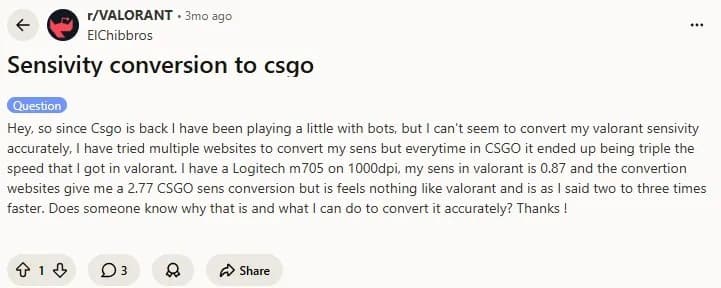
The community had the answer immediately. The issue wasn't the formula. A few commenters suspected the player either had raw input disabled in Valorant, had a Windows mouse speed setting that was inflating movement, or simply wasn't using the standard pointer settings. Someone else suggested starting at 0.8 in CS2 and fine-tuning from there rather than chasing an exact number.
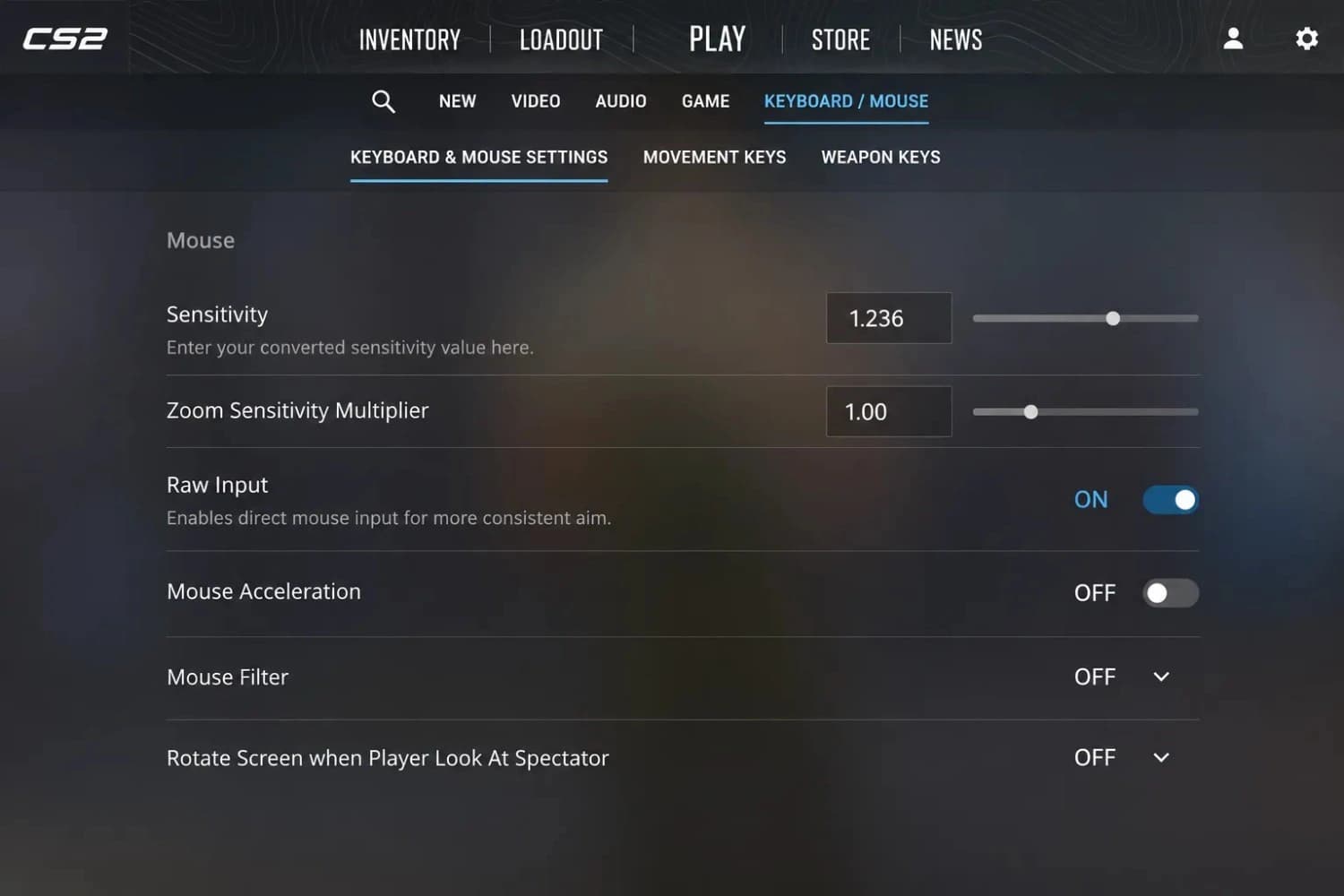
The raw input point is critical. CS2 has a Raw Input setting in the mouse settings. If it's off, Windows mouse acceleration affects your aim regardless of what number you type in. Always enable raw input and set Windows pointer speed to notch 6 of 11 before testing any sensitivity conversion.
Common Mistakes That Ruin the Conversion
Different DPI Between Games
This is the most common reason a conversion fails. If you play Valorant at 800 DPI but somehow have CS2 set to 400 DPI, your converted sensitivity number will make things twice as slow. Always confirm your DPI is identical in both games before applying the formula. If you need a refresher on changing your mouse DPI, it only takes a minute in most mouse software.
Not sure what DPI you're actually running? The software on your mouse shows the set value, not the measured output. For the real number, check our guide on how to check mouse DPI without a DPI analyzer; it covers several methods that don't require any extra tools.
Windows Mouse Acceleration Is On
Windows Pointer Precision (a.k.a. mouse acceleration) changes how far your cursor moves based on how fast you move the mouse. That variable behavior completely breaks sensitivity conversions because your movement speed in-game will be inconsistent. Turn it off before testing.
- Open Settings
- Select Bluetooth & Devices
- Click on the mouse
- Choose Additional Mouse Settings
- Open the Pointer Options tab
- Uncheck Enhance Pointer Precision
- Set the speed slider to the middle notch (6 of 11) for a neutral baseline
Raw Input Is Disabled in CS2
CS2 has its own raw input toggle, separate from Windows settings. When raw input is off, Windows mouse settings bleed into the game and override your in-game sensitivity. Go to CS2 Settings → Mouse/Keyboard → Raw Input = On.
Using the Formula in Reverse
A few players have accidentally multiplied instead of divided, or swapped the formula direction entirely. That gives you roughly 3x your intended sensitivity, which explains the "triple the speed" complaint you see in community posts. Valorant to CS2 is always divided by 3.18, not multiplied.
How to Know If the Conversion Worked
Use CM/360 as Your Reference Number
CM/360 is the number of centimeters of physical mouse movement you need to do to make a full 360-degree turn in-game. It's a universal reference, so it works for all games and all DPI settings. If your Valorant setup gives you 33 cm/360, your CS2 setup should also give you 33 cm/360 after conversion. If the numbers match, then the conversion is right. You can confirm this using a sensitivity converter tool that shows the CM/360 output for both your Valorant and CS2 settings side by side.
Do a Physical Check
Put a piece of tape on your mousepad. Mark your mouse's starting position. Move your mouse in a straight line until your in-game view completes exactly 360 degrees. Measure the distance you moved. That distance is your CM/360. Do this in both Valorant and CS2 after conversion. They should be within a centimeter of each other.
Does Your DPI Change This?
Your DPI has no impact on the formula; you still divide by 3.18, no matter what DPI you're using, whether it's 400 or 1600. What matters is that your DPI stays the same between both games. If you want to see how DPI and sensitivity combine into a single number, our eDPI calculator breaks that down across both games.
That said, your DPI does affect how the converted sensitivity feels in practice. At 400 DPI, a converted CS2 sensitivity like 0.15 will feel very different from the same 0.15 at 1600 DPI. The numbers are just scaled differently. If you're unsure which range to land in, our DPI recommendations for FPS games cover the ranges competitive players actually use.
If you're switching games and considering changing your DPI at the same time, be careful. Both changes compound on each other. Stick with your current DPI, convert the sensitivity, and then decide if you want to adjust from there. If you want to dig into what DPI actually suits your playstyle, the DPI Analyzer Mac guide has a clear breakdown of how DPI affects aim control and when changing it makes sense.
Quick Reference: CS2 to Valorant (Reverse Conversion)
Going the other way? Here's the formula to convert CS2 sensitivity back to Valorant:
Valorant Sensitivity = CS2 Sensitivity × 3.18
Example: If your CS2 sensitivity is 1.5, your Valorant equivalent is 1.5 × 3.18 = 4.77. That's unusually high for Valorant, which tells you that a 1.5 CS2 sensitivity is very high. Most competitive players in CS2 run between 0.8 and 2.0.
Conclusion
The math behind this conversion is simple: divide your Valorant sensitivity by 3.18, enter the result in CS2, and make sure your DPI matches across both games. The formula works. The most common reason it feels wrong is a setting outside the game, usually Windows mouse acceleration or raw input being off.
If you've checked those settings and the result still doesn't feel right, your actual DPI might not be what you think it is. Confirm it with our DPI Analyzer, then run the conversion again with the real number. Most players find that fixes it.
Once you've got the conversion dialed in, the same logic applies to any other game you move to. Our sensitivity converter handles CS2, Valorant, Apex, Overwatch, and more, so you only ever need to nail down one setup and convert from there.
Related Tools and Guides
- Mouse Sensitivity ConverterCarry the exact same aim feel from one game to another using cm/360 and engine-specific yaw values.
- eDPI CalculatorMultiply DPI by in-game sensitivity and see where your eDPI sits against the competitive range for your game.
- Mouse Sensitivity AnalyzerEnter your DPI, sensitivity, and game type to get a genre-fit verdict and a tuning range for your aim.
- DPI Recommendations for Every ScreenThe right DPI for every screen size and resolution — from 1080p to 4K and multi-monitor setups, with pro references.
See if your sensitivity is holding you back
Open the Sensitivity AnalyzerFAQ
It's a rounded approximation of the ratio between CS2's yaw value (0.022) and Valorant's yaw value (0.07). The exact value is 0.07 ÷ 0.022 = 3.1818... repeating. Using 3.18 gives you results accurate to the second decimal place, which is more than close enough for any game setting.
A few things can cause this. FOV differences between games affect how much visual movement you see for the same physical mouse movement. Windows mouse acceleration or CS2 raw input being off will also distort the feel. And some of it is just muscle memory; give yourself a few sessions before deciding the conversion is wrong.
Different games use different yaw values, so each conversion needs its own ratio. For other game-to-game conversions, including Apex, Overwatch 2, and Fortnite, use our free mouse sensitivity converter, which handles the math automatically for any supported game combination.
The main sensitivity conversion only applies to your base (hipfire) sensitivity. Scoped and ADS multipliers in CS2 work differently from Valorant's scope sensitivity. Set your base sensitivity first, then adjust your scoped sensitivity separately until it feels consistent with your hipfire control.
Browser-based DPI analyzers measure your actual sensor output against a known physical distance, so they give you your real hardware DPI rather than the firmware target. That distinction matters when your DPI button doesn't tell you the exact current stage. For a full breakdown of what to expect, see our post on how accurate a DPI analyzer is.